
Step 1
Download the library from the github, extract it and create a directory at a chosen location, for example:
Project\lib\CMSIS\CMSIS-DSP
and copy the Include and Source folders from CMSIS-DSP into it.
Step 2
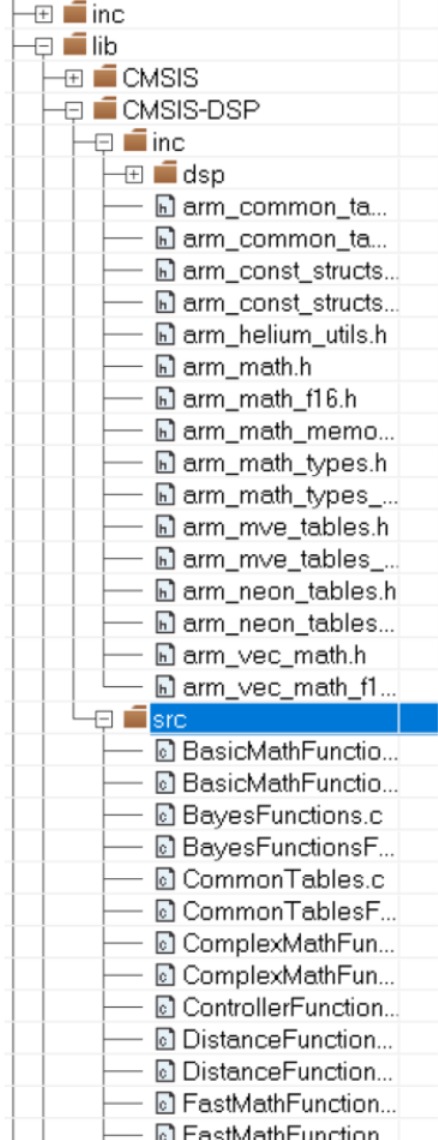
Add Groups and Files in a way that suits you, for example like this:
Step 3
Before using the CMSIS-DSP functions, it is necessary to configure the include paths and define the appropriate symbols in the IAR Embedded Workbench project settings. Set them as follows:
Project → Options → C/C++ Compiler → Preprocessor → Additional include directories:
$PROJ_DIR$\lib\CMSIS\CMSIS-DSP\Include
$PROJ_DIR$\lib\CMSIS\CMSIS-DSP\Include\dsp
Project → Options → C/C++ Compiler → Preprocessor → Defined symbols:
ARM_MATH_CM4
Step 4
Now we need to clean up and update some CMSIS core files inside the project. In the directory:
Project\code\lib\CMSIS\Include
Delete the files: arm_common_tables.h, arm_const_structs.h, arm_math.h
Add the files: cmsis_compiler.h, cmsis_iccarm.h
Note: in cmsis_iccarm.h, you will need to comment out certain sections to avoid conflicts
You can find cmsis_compiler.h and cmsis_iccarm.h in:
C:\Program Files\IAR Systems\Embedded Workbench 9.2\arm\CMSIS\Core\Include
In cmsis_iccarm.h Comment out functions: __REVSH, __LDRBT, __LDRHT, __STRBT, __STRHT, __STRT. This is necessary to avoid “multiple definition” conflicts with functions already provided by the IAR compiler.